Vision Boards: Digital vs. Physical – Which One Actually Works?
Compare digital and physical vision boards, explore their benefits, discover creative vision board ideas, and learn how to turn your goals into actionable plans.
You’ve decided to make a vision board this year. Now for the first real choice: scissors and a stack of magazines, or a board on your phone?
Both can work. But they work in different ways, and the right one depends on what you need most.
Below: what each one does well, what real people say after trying both, and my own take after making them.
The case for a physical vision board
Making a board by hand, with paper, scissors and glue, slows you down. That’s mostly a good thing.
Your hands help you remember. In a 2024 study, researchers in Norway recorded brain activity while 36 students wrote by hand and typed. Handwriting lit up far wider connections across the brain, the kind tied to memory and learning (Frontiers in Psychology).
The study was about writing words, not making collages. But the idea carries over: choosing, cutting and placing something yourself makes it stick.
It feels like a ritual. Writer Arbela Capas makes both kinds every year, but the paper one is special. Flipping through magazines, the images seem to find her instead of the other way around (The Changing Room).
Her favorite session? On the floor with friends, surrounded by magazine scraps and glitter stickers.
It’s always there. A board on your wall doesn’t need a notification. You see it while you get ready in the morning.
The catch: it’s hard to update, and easy to stop noticing after a few weeks.
The case for a digital vision board
A digital board trades the craft night for convenience. It goes where you go, and it changes when you do.
It’s with you all day. Set it as your lock screen and you’ll see it every time you pick up your phone.
It’s easy to update. Goals shift. On a screen, you swap an image in seconds. On paper, most people never bother.
There’s room for the plan. A paper board barely fits a caption. A digital one can hold your why, first step and checkpoint right under each picture.
It’s quick. No magazines, no glue, no cleanup. You can make one on your lunch break.
It’s private. Your goals don’t have to be on the fridge for roommates to read.
The catch: it’s easy to bury. If it lives in an app you never open, it does nothing.
Physical vs. digital vision board at a glance
| Physical board | Digital board | |
|---|---|---|
| Making it | A cozy, hands-on evening | Quick, from your couch |
| Time to make | A few hours | Under an hour |
| Seeing it | On one wall, every day | Everywhere you have your phone |
| Updating it | Hard, so most people don’t | Seconds |
| Room for steps and dates | Barely | Plenty |
| Privacy | On display for anyone | Yours unless you share it |
| Biggest risk | Fading into the wall | Getting buried in an app |
| Best for | Commitment | Convenience |
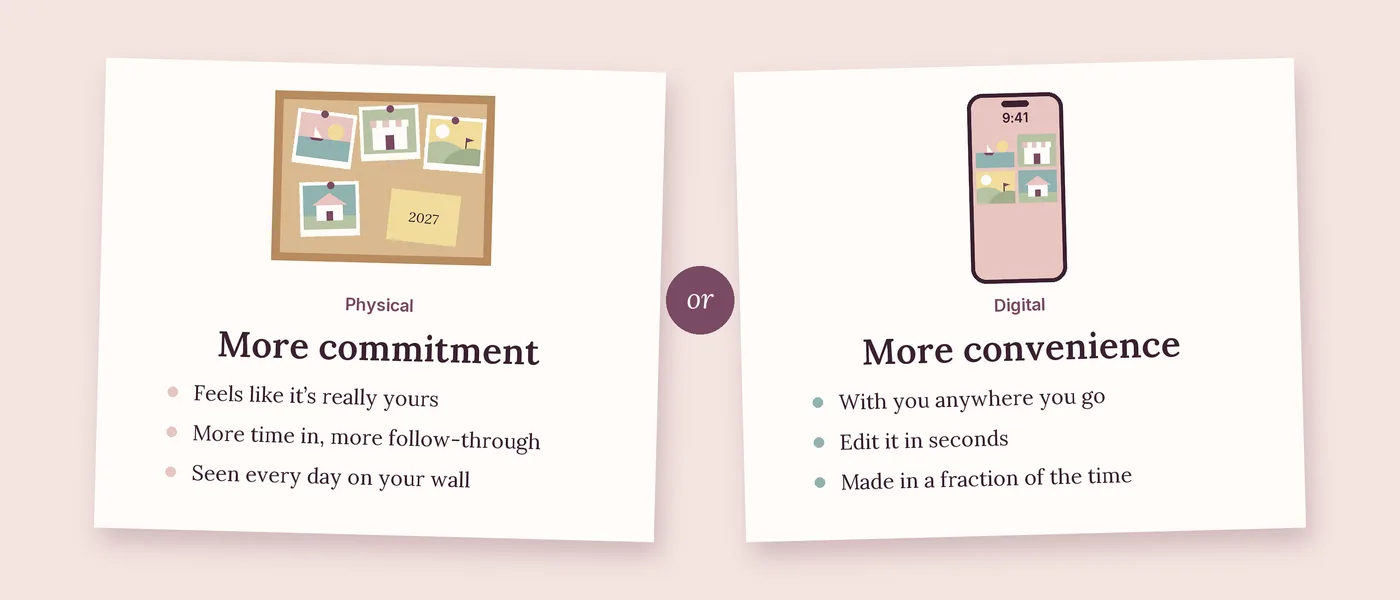
My take: commitment vs. convenience
I’ve made both, and here’s what I’ve found.
If you’ll see it every day, an in-person vision board works much better. It’s like writing something down instead of typing it. It feels like it’s yours.
You also put more time into a paper board. And the more time you put in, the more likely you are to commit to what’s on it.
Digital boards have real advantages, though. You can open them from anywhere, edit them in seconds, and make one in a fraction of the time.
So it really comes down to what you’re looking for:
- A higher level of commitment: go physical, and hang it where you’ll see it every day.
- Saved time and more convenience: go digital, and make it your lock screen.
What real people say after trying both
We went through blogs, forums and Reddit threads from people who’ve made both kinds. A few patterns kept coming up.
Paper boards often end up in a box. Lifestyle writer Reid Cox Phelps found her January board while unpacking from a summer move. She hadn’t looked at it in a while (Dare You).
Writer Rachel Archelaus slid her board under the couch and mostly forgot about it for six years, until she moved (Multidimensional Human). Two women, the same moment: finding the board while packing boxes.
Some people switch to digital and stay. Allison Crawford has made a vision board every year since 2016. She’s done both, but now prefers digital and uses it as the screensaver on her computer and iPad (Postcards from Paris).
The founder of Scent Workshop tried a few formats but wanted something they’d see more often than a bulletin board in the office. So the lock screen became the vision board, refreshed every New Year’s Day (Scent Workshop).
Others stick with paper. The writer behind Partners in Fire prefers a physical board because they love the creative part. It hangs in their office as a daily reminder (Partners in Fire).
Plenty of people do both. One Lemon8 creator designed her board in Canva, had it printed as a poster, hung it in her closet, and made it the lock screen on all her devices. Another said that after making paper boards on New Year’s Eve, her sister suggested digital versions they could look at anytime (Lemon8).
Pinterest isn’t a plan. In a Reddit thread about 2026 vision boards, several people said they just use Pinterest. Another commenter pushed back: a board is only worth it if it makes your decisions easier (r/EntrepreneurRideAlong).
The takeaway: the format matters less than whether you keep seeing it, and whether it tells you what to do next.
Which one should you choose?
Ask yourself three quick questions:
- Do you love making things by hand? If the craft night is half the fun, start with paper.
- Will your goals change this year? If you’re mid-move or mid-job-search, go digital so the board can keep up.
- Where will you actually look at it? If the honest answer is “my phone,” a wall board won’t get much love.
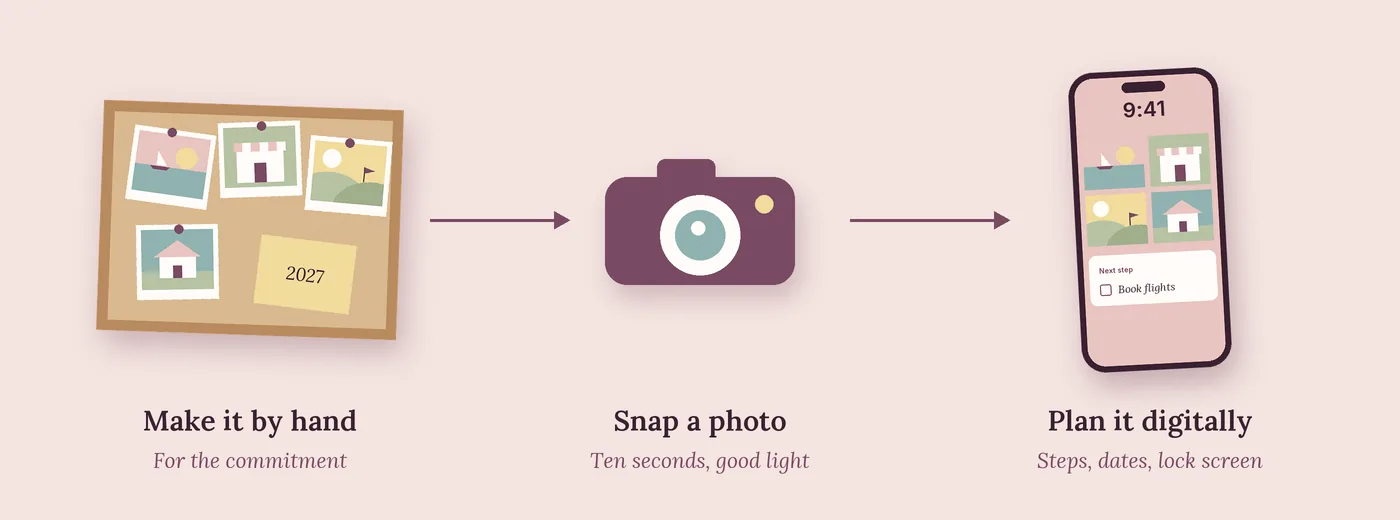
Or do both, on purpose. Make a paper board for the commitment. Then snap a photo and build the plan digitally.
The paper board stays on your wall as the daily reminder. The digital version holds the steps and dates, and goes everywhere with you.
Creative vision board ideas (digital or physical)
Stuck on what to put on yours? Pick a few of these, and give each one a first step so it turns into a plan.
- A solo trip. Use a screenshot of the actual hotel or beach. First step: open a trip fund this week.
- Your dream job title. Write it out the way it would look on your email signature. First step: message one person who has that job.
- A savings number. Write the amount big, like $3,000. First step: set up an automatic transfer every payday.
- Your first race or class. A race bib, a yoga mat or a dance studio sign. First step: sign up for one beginner class.
- A cozy corner of your future home. Pick one room, not a whole house. First step: buy or make one piece for your space this month.
- A side business. Your shop logo or a product photo. First step: list three products, even if they’re not perfect.
- A new skill or language. A picture of the place you’ll use it. First step: 10 minutes a day on an app.
- More time with your people. A photo of your favorite friends. First step: put the first monthly dinner on the calendar.
- A word of the year. One word, like “calm” or “brave,” written in the middle. First step: name one habit that matches it.
Ideas that shine on a physical board: ticket stubs, pressed flowers, postcards, fabric swatches and handwritten notes. Things you can touch make the board feel personal.
Ideas that shine on a digital board: screenshots of real listings, a progress bar for your savings goal, and a cropped lock-screen version with just your top three goals.
How to make a digital vision board in 5 steps
- Pick 3 to 5 goals. Fewer goals means more attention for each one.
- Gather your images. Your own photos and screenshots hit harder than stock photos.
- Add a plan under each image. Your why, the obstacle most likely to stop you, a first step and a checkpoint date.
- Put it where you’ll see it. Make a simple version your lock screen, and keep the full board somewhere you open often.
- Schedule a 10-minute Sunday check-in. Mark what got done and pick next week’s step.
Want the full method? Our guide on how to make a vision board that actually works walks through each step with examples.
Make your vision board in Flowboard
We built Flowboard for the part most vision boards skip: the plan behind the picture.
- Images and plans in one place. Pin your photos, then give each goal its own sub-board with steps and due dates.
- Checkpoints that keep you on track. Gates hold a step until the one before it is done.
- Dates you can see. Every checkpoint shows up on a timeline and calendar.
Already made a paper board? Snap a photo, drop it in, and build the plan around it. Start your free trial and set up your 2027 board this weekend.
Sources
- F. R. Van der Weel and A. L. H. Van der Meer, “Handwriting but not typewriting leads to widespread brain connectivity”, Frontiers in Psychology, January 26, 2024
- Arbela Capas, “The Browse No. 7: Piecing It All Together”, The Changing Room, January 14, 2024
- Reid Cox Phelps, “What’s On Your Vision Board?”, Dare You, July 25, 2025
- Rachel Archelaus, “Did my Forgotten Vision Board come True?”, Multidimensional Human, September 29, 2026
- Allison Crawford, “How to Create a Vision Board for Any Project”, Postcards from Paris, December 31, 2023
- “A Vision Board Lock Screen”, Scent Workshop, January 2, 2023
- “Achieve Your Dreams with a Vision Board”, Partners in Fire
- “You need a vision board Lock Screen!!”, Lemon8
- “Is a 2026 vision board a must?”, r/EntrepreneurRideAlong, December 2025
Frequently asked questions
Is a digital vision board as effective as a paper one?
It can be. A paper board you see every day builds more commitment, while a digital board is easier to keep with you and update. A digital board on your lock screen beats a paper board in a closet.
What’s the best app for a digital vision board?
Pinterest and Canva are popular for collecting and arranging images. If you want steps, dates and progress under each goal, use a planning tool like Flowboard.
Can I turn my paper vision board into a digital one?
Yes. Take a clear photo in good light, set it as your phone background, and add the steps and dates for each goal in a digital planner.
Should I make my vision board my phone wallpaper?
Yes, if it’s simple enough to read at a glance. Use 3 to 5 key images for the wallpaper and keep the full board somewhere you can open it.
How often should I update my vision board?
Check in weekly and refresh it every few months. Swap out anything you’ve finished or stopped caring about.