How to Make a Vision Board That Actually Works (2027 Guide)
Learn how to make a vision board that actually works in 2027: five simple steps, real examples, what real users say, and how to turn each goal into a plan you’ll follow.
You’ve probably made a vision board before. Maybe it was a magazine collage with friends, or a Pinterest board you haven’t opened since February. It looked beautiful. The goals on it? Still waiting.
That’s not a you problem. Most vision boards show where you want to go but never how to get there. Here’s how to make one that actually works in 2027.
Why most vision boards don’t work
Picturing your dream life feels amazing, and that’s the catch. NYU psychologist Gabriele Oettingen found that people who only fantasize about a good outcome tend to feel less energized and get less done (Greater Good). What helps is pairing the dream with the obstacle in your way, and a plan to get past it.
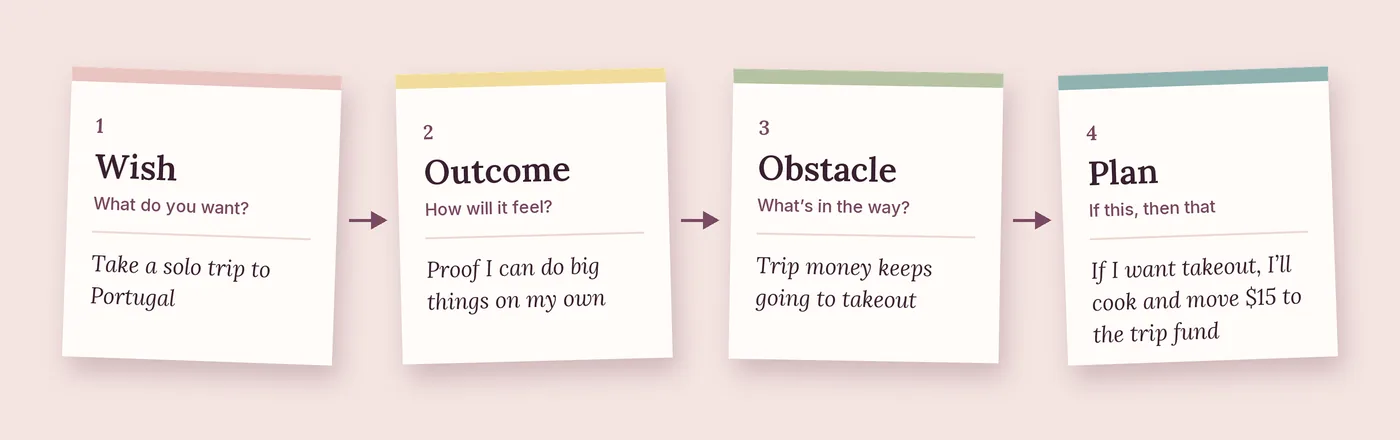
Oettingen calls this mental contrasting, and she turned it into a simple four-step method called WOOP: Wish, Outcome, Obstacle, Plan. The steps below borrow from it, so your board keeps all the inspiration and adds the part that gets you moving.
What real vision board users say
We went through Reddit threads, forums and personal blogs to see how vision boards actually play out. A few patterns kept coming up.
The boards that work get revisited. Lifestyle writer Reid Cox Phelps found her January vision board while unpacking from a move that summer. About half of it had already come true, including a Hawaii elopement and her first home. When she looked at what was left, she realized every remaining goal was something she just had to decide to do, so she wrote down what she was afraid would happen with each one and worked through it (Dare You).
Clarity matters more than decoration. In a Reddit thread asking whether a 2026 vision board is a must, one founder said the board itself wasn’t what helped. Narrowing down to one or two outcomes they reviewed every week is what built momentum. Another commenter said a board is only worth it if it makes decisions easier, and if it starts feeling like homework, it’s probably just noise (r/EntrepreneurRideAlong).
Digital works, as long as you see it. On the Getting Things Done forum, one member described making a vision board as a PowerPoint collage, setting it as their desktop background, and later keeping a photo of it on their phone so it went everywhere with them (GTD forum).
The common thread: making the board gets you started, but coming back to it is what gets you there.
How to make a vision board that works
- Choose 3 to 5 goals that are truly yours. Not what your feed says you should want.
- Pick one image per goal that gives you a little thrill every time you see it.
- Write your why underneath. One sentence you can lean on during the hard weeks.
- Name the obstacle and plan for it. For example: “If I’m too drained after work to study, I’ll do 20 minutes before my morning coffee.”
- Add a first step and a checkpoint. Something you can do this week, and a date to see how you’re doing.
Then put your board somewhere you’ll actually see it: your phone’s lock screen, your desk, or the inside of your closet door. Torn between the two? Here’s how a digital vision board compares to paper.
Vision board examples
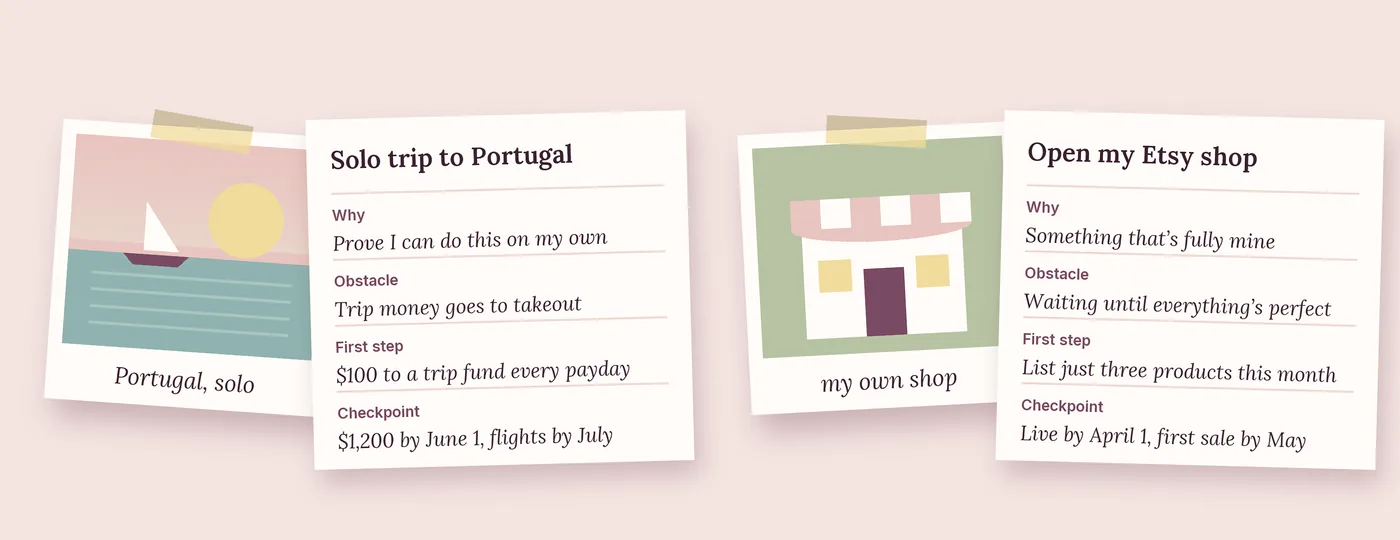
Goal: Take a solo trip to Portugal
- Why: “I want to prove to myself I can do this on my own.”
- Obstacle: Trip money disappearing into takeout and online orders
- First step: Set up an automatic $100 transfer to a trip fund every payday
- Checkpoint: $1,200 saved by June 1, flights booked by July
Goal: Open my Etsy shop
- Why: “I want something that’s fully mine outside of my 9-to-5.”
- Obstacle: Waiting until every product feels perfect
- First step: Photograph and list just three products this month
- Checkpoint: Shop live by April 1, first sale by May
Notice how small each first step is. That’s on purpose. A step you can finish this week beats a big plan you keep putting off.
Keep it going past January
- Do a Sunday reset. Ten minutes with your coffee: what got done, and what’s the next step?
- Make it social. Host a vision board night with friends, then check in on each other’s goals once a month.
- Celebrate every checkpoint. Progress you can see is what keeps you coming back.
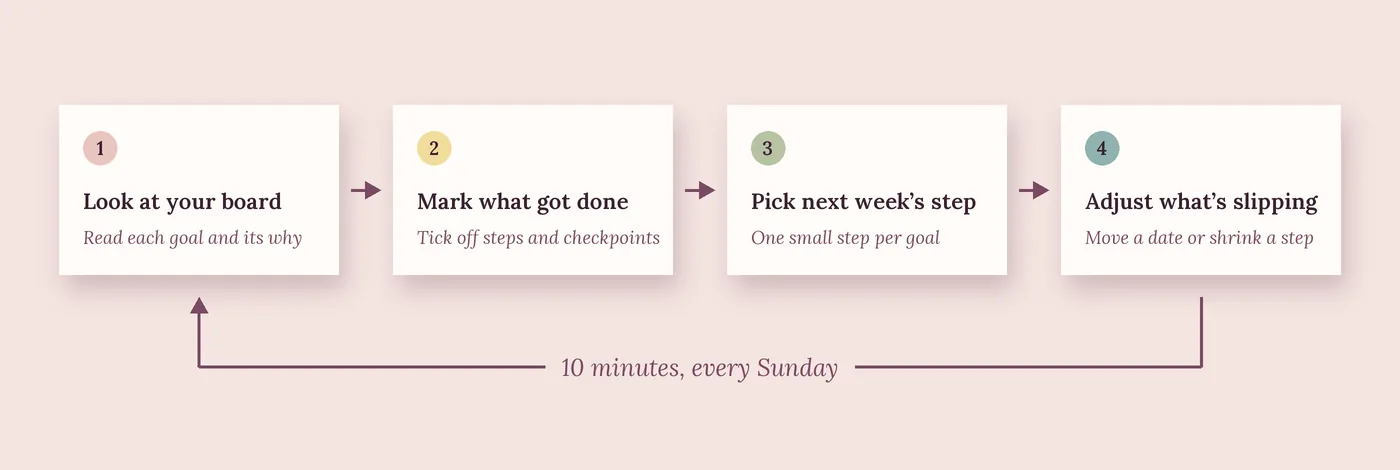
And if a goal stops feeling right by spring, it’s okay to let it go. Changing your mind on purpose is part of the process too.
Free vision board template
Flowboard’s vision board maker lets you keep the pretty board and build the plan behind each image: steps, dates and progress that updates as you go. Start your free trial and set up your 2027 board in under an hour.
Sources
- Jill Suttie, “Can Positive Thinking Really Make Dreams Come True?”, Greater Good Magazine, December 17, 2014
- Reid Cox Phelps, “What’s On Your Vision Board?”, Dare You, July 25, 2025
- “Is a 2026 vision board a must?”, r/EntrepreneurRideAlong, December 2025
- “The Power of Vision Boards”, Getting Things Done forum
Frequently asked questions
Do vision boards actually work?
On their own, not really. Research suggests that only picturing success can lower the energy you put into reaching it. A vision board works much better when each image has an obstacle, a plan and a first step behind it.
What should I put on my vision board?
Three to five goals you genuinely care about, one image each, plus your why, your biggest obstacle, a first step and a checkpoint date.
When is the best time to make a vision board?
Late December and early January are the most popular, since they line up with New Year’s goals. But any time works. A board made in June with a real plan beats a January board with none.
How many goals should be on a vision board?
Three to five. Any more and your energy gets spread too thin to make real progress.
Can I make a digital vision board?
Yes. A digital vision board makes it easy to add steps, dates and progress under each goal, and to update it as your plans change.